Orders cross several tools
Storefront selections, customer email, payment confirmation, order status, approval, and delivery can otherwise depend on repeated copying between browser, inbox, and spreadsheet.
A live digital-product storefront connected to approval-controlled payment verification, secure email delivery, expiring access, and operational oversight—automating the repeatable work without automating the payment decision.

A customer sees artwork, a cart, and payment choices. Behind that experience, the operator must capture the order, verify payment, approve fulfillment, deliver only the purchased files, support retries, and understand what happened when access fails.
Storefront selections, customer email, payment confirmation, order status, approval, and delivery can otherwise depend on repeated copying between browser, inbox, and spreadsheet.
Sending permanent file links too early removes the payment gate and makes it difficult to limit access to the products the customer actually purchased.
Without structured state, pending verification, approved orders, delivery attempts, rejected orders, and repeated downloads become difficult to review consistently.
The storefront captures a structured order. Workflows preserve the order state, alert the operator, wait for payment verification, and deliver approved products through customer-specific access rather than exposing the source files in the browser.
These screenshots document the public customer experience. The walkthrough stopped before order submission, so it demonstrates the live interface without creating a transaction or implying a sale.



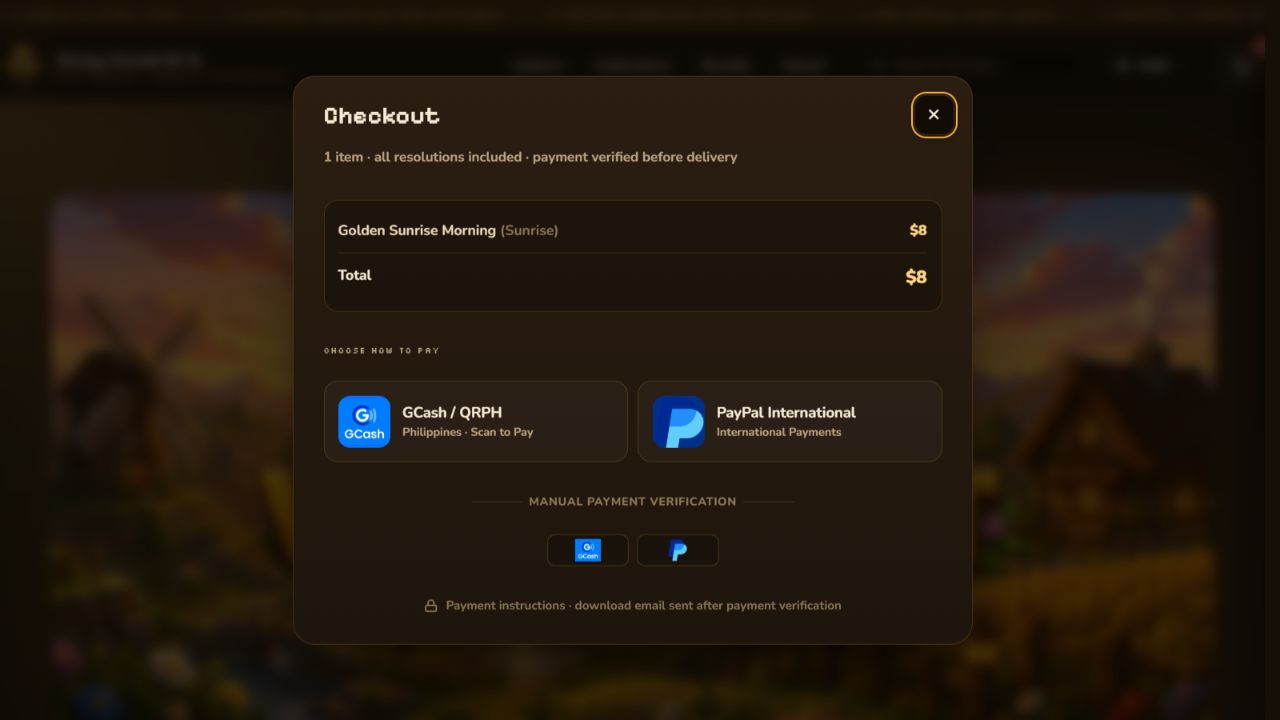
The implementation keeps customer interaction, operational state, approval, email delivery, and download validation as distinct responsibilities.
The browser captures only the customer-facing order inputs and never needs the clean download destination.
Orders begin in a pending-verification state so capture does not imply payment approval.
The operator compares the pending order with the payment provider and deliberately changes the business status.
Only approved records become eligible for the fulfillment email workflow.
Each download request is checked against order identity, expiry, and the purchased product or bundle entitlement.
The system is intentionally not a fully autonomous payment adjudicator. It makes the pending order visible, provides the information needed for review, and waits for a trusted status change before delivery.
The implementation separates protected storefront previews from clean source files and validates every customer download request before redirecting to fulfillment.
The download request must match a purchased product key or a valid bundle entitlement recorded on the approved order.
Generated order access expires after the configured fourteen-day window instead of remaining indefinitely reusable.
Successful access advances the recorded access count, giving the operator visibility without exposing the fulfillment destination publicly.
Approved single-item and bundle orders are prepared for customer-specific Gmail delivery, followed by a delivery-state update.
Missing, expired, mismatched, or unauthorized requests are routed to a customer-facing invalid-link response rather than the clean file.
Raw tokens, workflow endpoints, provider details, internal IDs, and clean file links are not included in this public case study.
The existing admin workflow derives operational views from order records, including pending, approved, downloaded, and rejected status groupings; recent activity; access counts; product patterns; masked customer references; and trend summaries. No live customer rows or sales figures are reproduced here.
Orders waiting for a human payment decision.
Orders eligible for controlled customer delivery.
Recorded download attempts and delivery state.
Rejected orders and invalid or expired access paths.
The source review confirmed separate handling for order intake, approved-order email delivery, request validation, product entitlement, expiry, access-count updates, and invalid-link outcomes.
Order capture and payment authorization are deliberately separate business states.
The fulfillment sender queries approved records rather than every captured order.
The requested item must belong to the recorded purchase or its bundle entitlement.
Time-window validation prevents an old customer link from silently resolving forever.
Invalid requests receive a controlled response without revealing internal paths or diagnostic data.
The case study demonstrates outcomes while withholding credentials, real customer data, and fulfillment secrets.
Cozy Voxel demonstrates how a small digital storefront can connect customer experience, order state, payment review, delivery, and support visibility without pretending that every decision should be autonomous.
The case study explains the controls. The public store remains available for clients to experience the customer-facing system directly.